
Test Results
Which tests are flaky? Which suites got slower over the last weeks? What fails most often, and is it getting worse?
The Test: Executions and Test Suite: Executions dashboards answer these questions from the test run events emitted by your CI, for example via the JUnit report integration.
What's on the dashboard
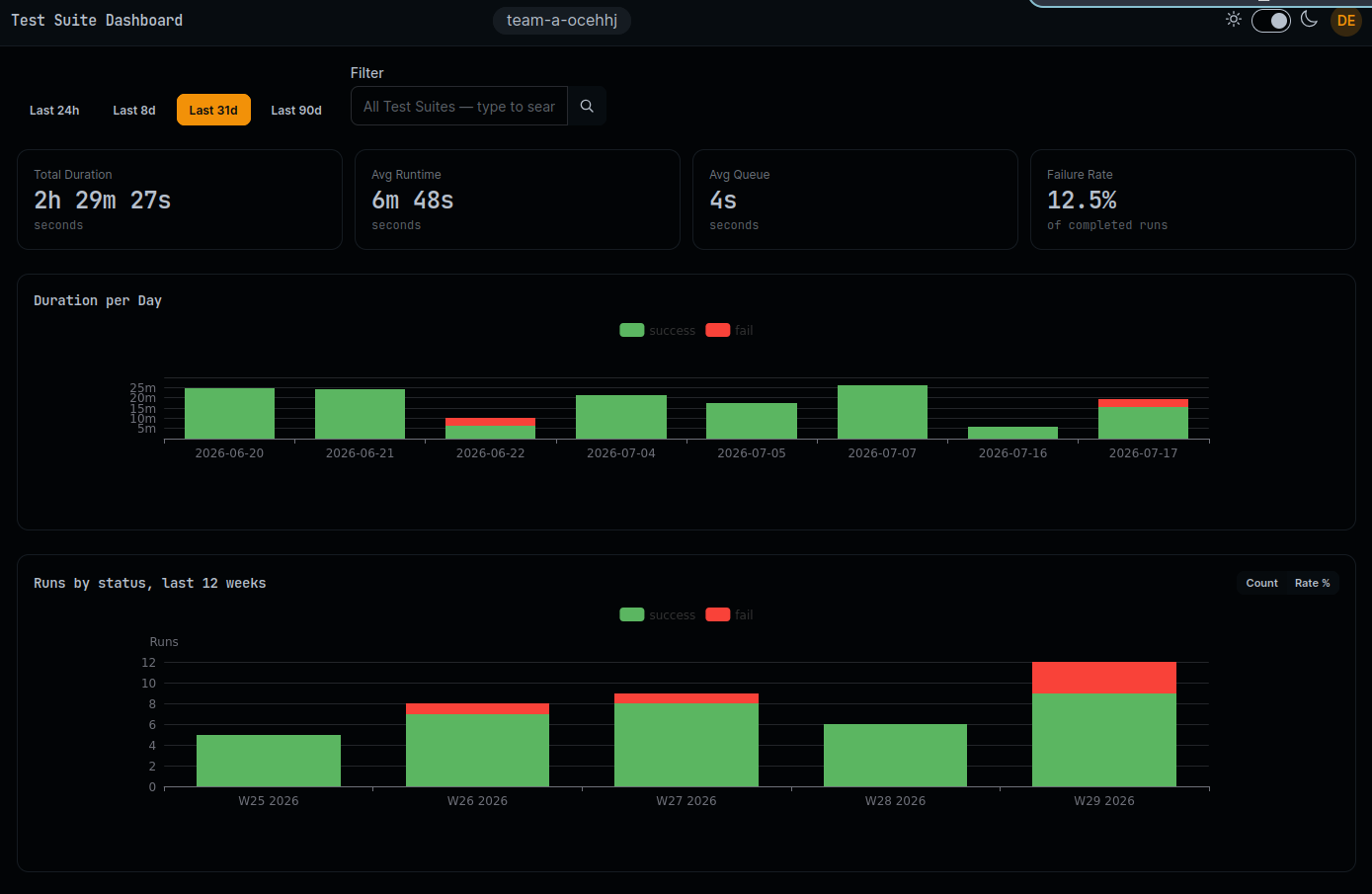
Overview stats: the health of your test base at a glance:
- Total Duration - Aggregate time spent running tests
- Average Runtime - Mean run time per test or suite
- Average Queue Time - Mean time waiting to start
- Failure Rate - Percentage of failed runs (fail, failure, error) with color-coded thresholds
Daily trends: spot slowdowns and failure spikes:
- Total duration per day
- Number of runs per day, split by outcome (success, fail, error, skip, cancelled)
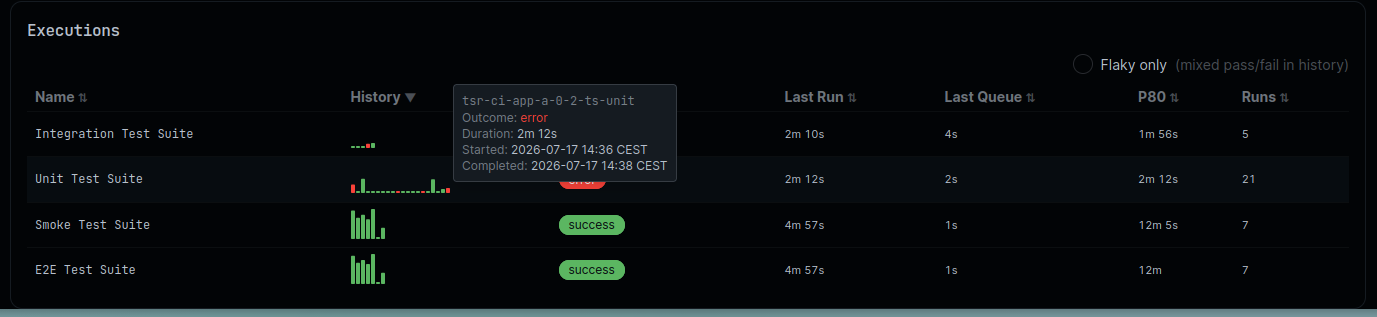
Per-test table: find the flaky ones:
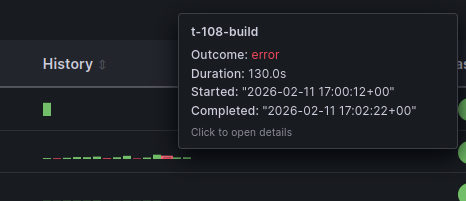
- History - Sparkline of recent run outcomes: a test alternating red and green is flaky, no statistics degree required
- Last Outcome / Duration / Queue - Most recent run details
- P80 Duration - 80th percentile run time. It catches suites that got slow and ignores one-off outliers
- Total Runs, Passed, Failed, Skipped - Counts over the selected time range

Hover a sparkline for per-run details (timestamps, durations, outcomes):
Use the Test Suite dashboard to watch suite-level duration and stability, and the Test dashboard to drill down to the individual test cases responsible.
Also in CDviz Cloud
The same insights are built into CDviz Cloud, managed, with nothing to install:
Under the hood
These dashboards share their panels and queries with Pipeline & Task Runs, backed by the cdviz.testcaserun and cdviz.testsuiterun database views instead. See the dashboard generator source.
Feeding test events
Test dashboards need testcaserun / testsuiterun CDEvents. The easiest way to produce them is to let the collector import your existing test reports: see the JUnit report integration for per-ecosystem examples.