
Artifact Timeline Dashboard
Overview
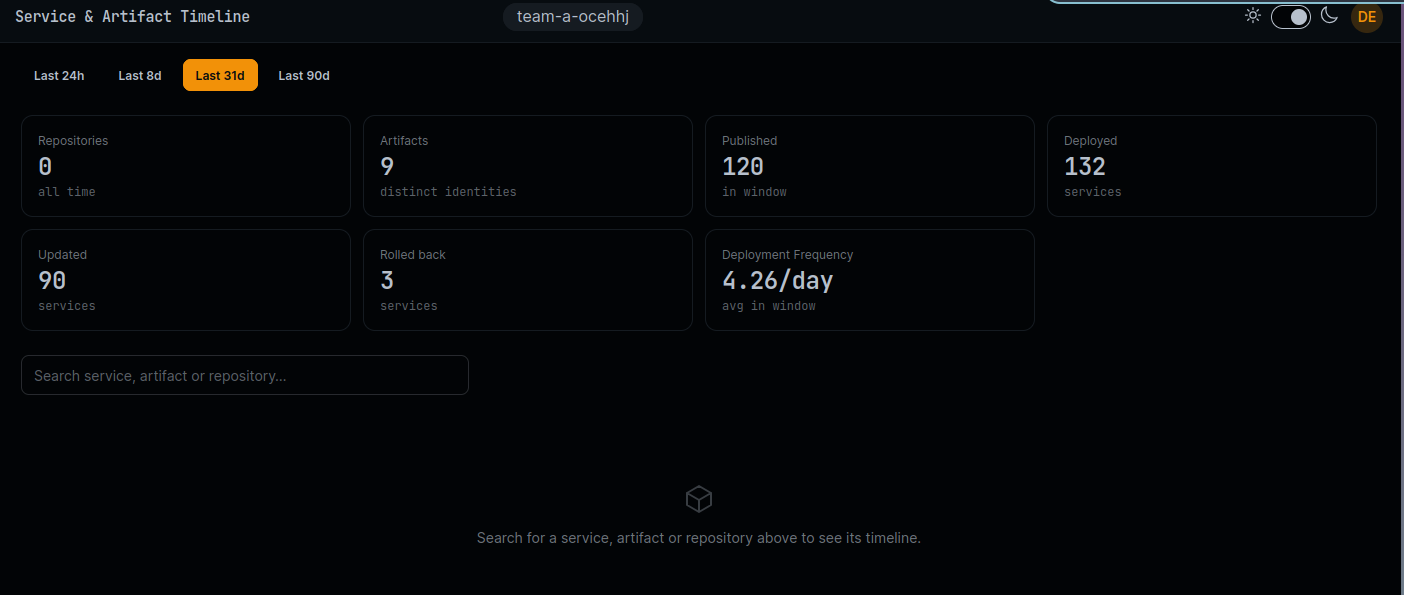
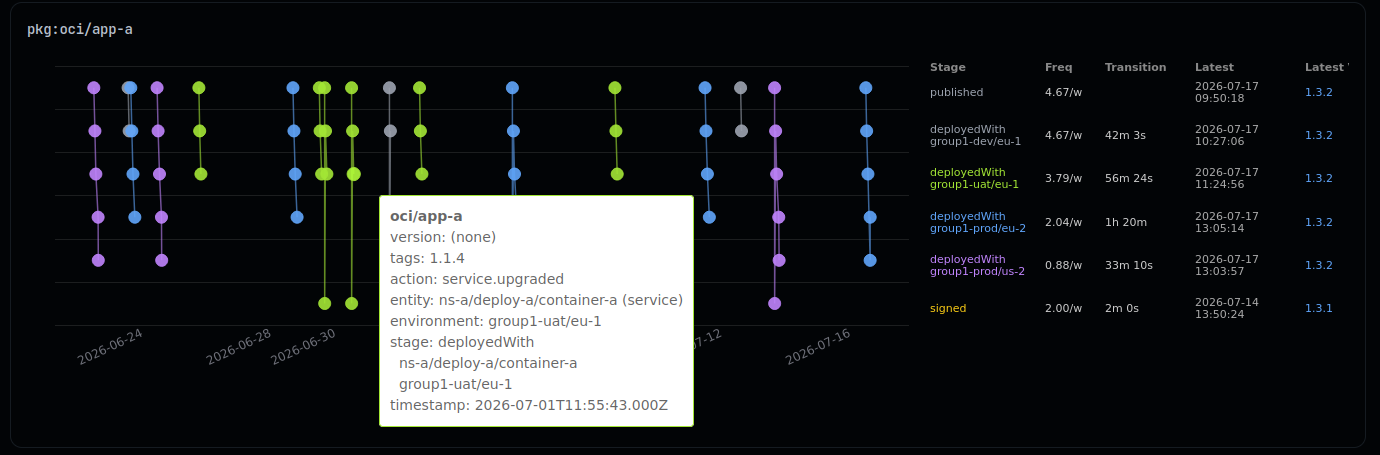
The Artifact Timeline Dashboard shows the lifecycle of each package version. Follow an artifact through packaging, publication, signing and deployment to a service.
Features
- Individual timeline visualization for each package version (artifact = package + version)
- Interactive tooltips displaying detailed event information on hover
- Color-coded points and lines based on the latest stage reached by each artifact
- Metrics based on the selected dashboard time range
- Comprehensive per-stage metrics including:
- Stage identification
- Action/predicate of the package
- Environment and service name concatenation for service deployments
- Event frequency metrics (applicable for DORA metrics: Deployment Frequency)
- Average transition duration from previous stage, facilitating promotion time analysis
- Latest artifact version per stage, providing visibility into current deployed versions across environments
- Timestamp of the most recent event per stage, highlighting latest activity
- Stage identification
Implementation
The dashboard utilizes the following SQL query to retrieve artifact timeline data:
sql
SELECT timestamp,
  predicate as action,
  predicate as stage,
  payload -> 'subject' ->> 'id' as artifact_id
FROM cdviz.cdevents_lake
WHERE $__timeFilter(timestamp)
  AND payload -> 'subject' ->> 'id' SIMILAR TO 'pkg:\${artifact_fnames:raw}(@|\\?)%'
  AND subject = 'artifact'
  AND predicate = ANY(ARRAY['published', 'signed'])

UNION ALL

SELECT timestamp,
  predicate as action,
  (payload -> 'subject' -> 'content' -> 'environment' ->> 'id') || '\n' || (payload -> 'subject' ->> 'id') as stage,
  payload -> 'subject' -> 'content' ->> 'artifactId' as artifact_id
FROM cdviz.cdevents_lake
WHERE $__timeFilter(timestamp)
  AND payload -> 'subject' -> 'content' ->> 'artifactId' SIMILAR TO 'pkg:\${artifact_fnames:raw}(@|\\?)%'
  AND subject = 'service'
  AND predicate = ANY(ARRAY['deployed', 'upgraded', 'rolledback'])
Also in CDviz Cloud
The same timeline is built into CDviz Cloud, managed, with nothing to install:
Technical Notes
- Package identification follows the Package URL (PURL) specification
- For OCI packages, version identification uses:
- Package digest when available (e.g.,
pkg:oci/cdviz-db@sha256:1234567890abcdef?repository_url=ghcr.io/cdviz-dev) - Package tag as fallback when digest is unavailable (e.g.,
pkg:oci/cdviz-db?repository_url=ghcr.io/cdviz-dev&tag=0.1.0)
- Package digest when available (e.g.,
Source Code References
- Database schema: migrations
- Dashboard generator: artifact_timeline.ts
- Visualization implementation: draw_timeline_version_on_stage.ts